Choosing an online menu maker in 2026 comes down to one question: does it just display your menu, or does it actually take the order? Best overall: Link Mahal for WhatsApp checkout and Lebanese payment flows. Best for POS-integrated restaurants: Toast. Best for a no-commission ordering widget: GloriaFood.
- Link Mahal wins for sellers who take orders through WhatsApp with COD, Whish Pay, or OMT — built for Lebanon and the diaspora.
- Toast and Square for Restaurants make sense only if you already run their POS hardware in-store.
- GloriaFood adds a commission-free ordering widget to an existing website but does not build the site or the WhatsApp flow.
- Popmenu and Owner.com focus on the marketing website and follow-up messaging, not on structured checkout.
- Canva covers menu design only — you still need a separate tool to actually process orders in 2026.
Why this matters
Most "menu maker" searches in 2026 actually mean two different jobs: making a menu look good, and making it sellable. A PDF menu or a static QR code page answers the first job and stops there — the customer still has to call, DM, or walk in to order.
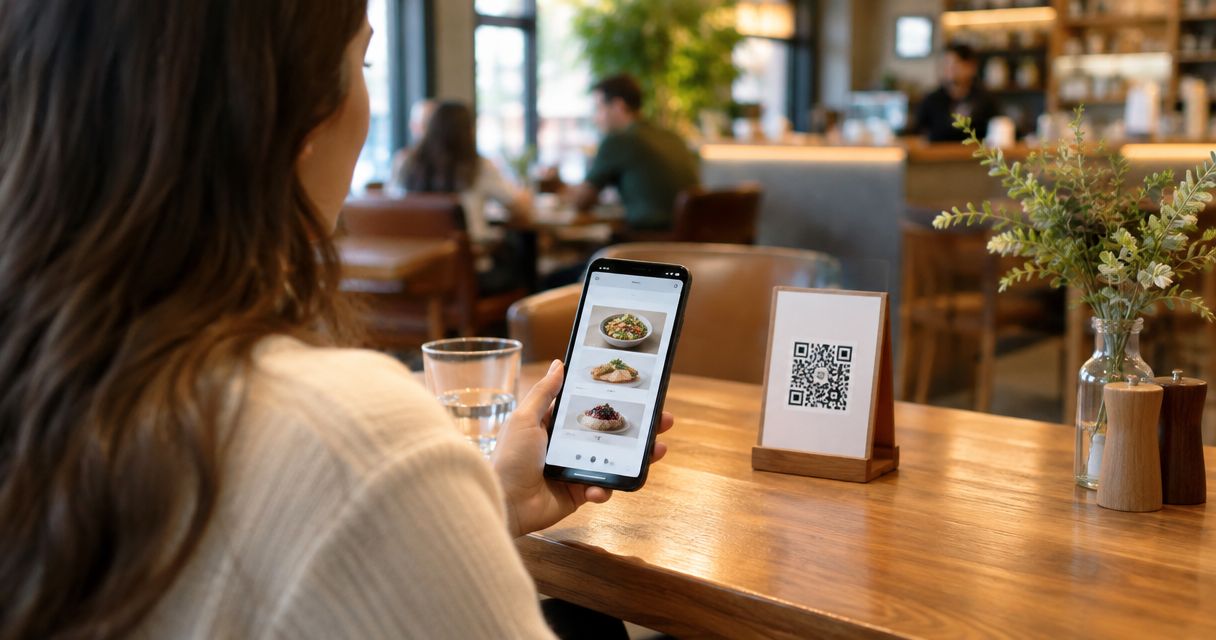
A tool like Link Mahal treats the menu as the front door to a checkout, not the end of the journey: scan the QR code, pick items, and the order lands as a structured WhatsApp message with a total, not a scattered chat thread. That distinction is why this list separates true ordering platforms from design-only tools instead of ranking them together as if they solve the same problem.
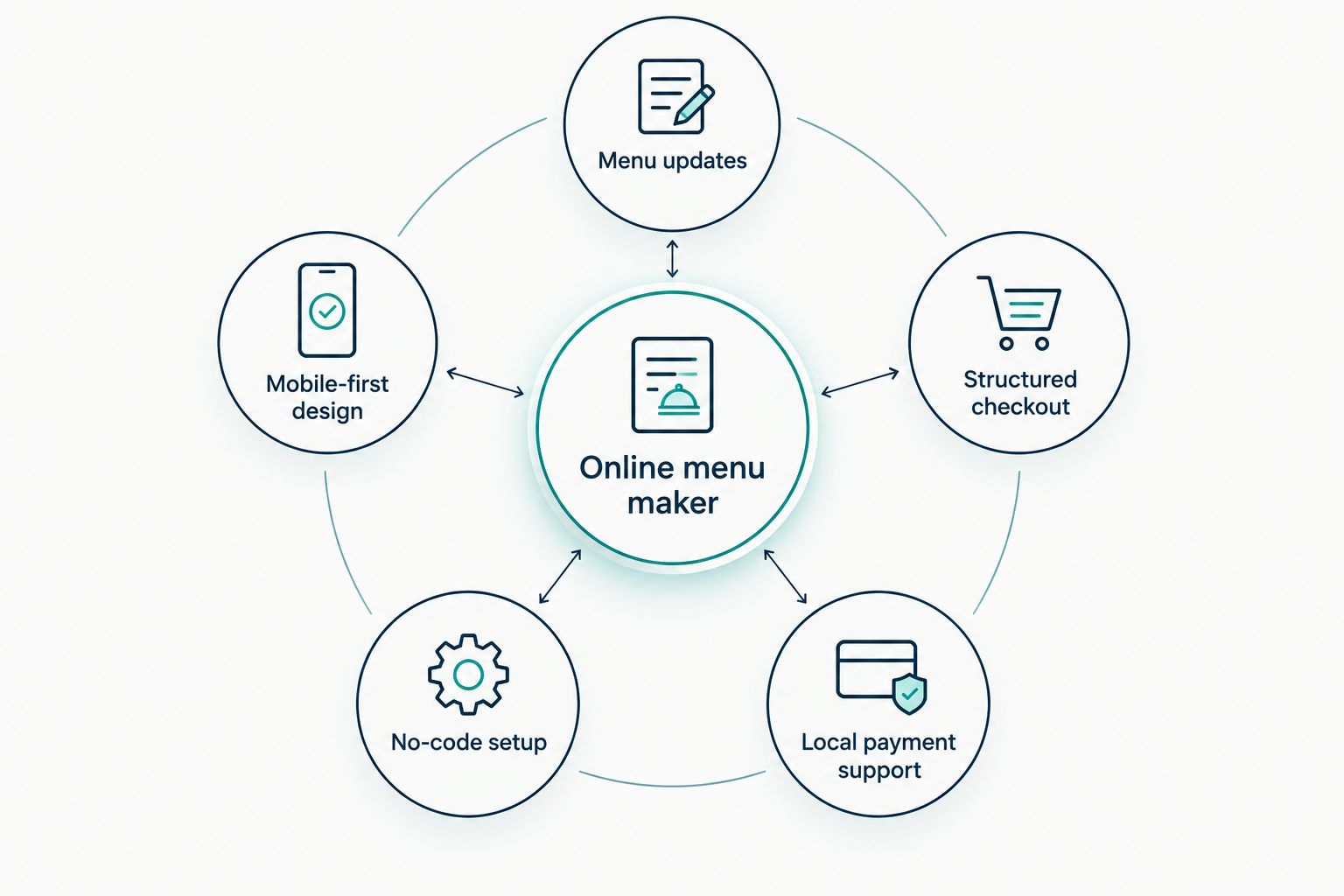
What makes the best online menu maker
- Menu updates without reprinting — change a price or mark an item sold out from a phone, not a print shop
- Structured checkout, not open chat — the customer sends an itemized order, not a paragraph you have to interpret
- Local payment support — COD, Whish Pay, OMT, or card, matched to how your customers actually pay
- No-code setup — live in minutes without hiring a developer or managing hosting
- Mobile-first design — most menu scans happen on a phone, so the layout has to work at that size first
- Commission structure — a flat monthly plan versus a cut of every order changes your margin at volume
At a glance
| Tool | Best for | Standout feature | Key limitation |
|---|---|---|---|
| Link Mahal | WhatsApp checkout for Lebanese sellers | Structured WhatsApp orders with local payment options | Built around Lebanon-specific payment flows |
| GloriaFood | Adding ordering to an existing website | Commission-free ordering widget | Doesn't build the menu page or website itself |
| Toast | Restaurants already on Toast POS | Deep POS and kitchen-display integration | Overkill if you don't run Toast hardware |
| Square for Restaurants | Sellers already inside the Square ecosystem | Syncs with Square payments and inventory | Least useful outside the Square stack |
| Popmenu | SEO-driven restaurant websites | AI-generated website copy and menu pages | Website-first, not chat-first ordering |
| Flipdish | Branded ordering apps and kiosks | Self-order kiosk and app support | Heavier setup than a QR menu |
| Owner.com | Automated marketing tied to ordering | Built-in email and SMS marketing tools | Marketing focus over checkout simplicity |
| Canva | DIY menu design only | Large template library for visual layout | No ordering or checkout functionality |
1. Link Mahal: best online menu maker for WhatsApp checkout in Lebanon
Link Mahal builds a QR-based digital menu that opens directly into a WhatsApp storefront, so a customer scanning the code lands on a menu and can send a structured order without leaving the chat. Orders arrive itemized with a total, and the flow supports cash on delivery, Whish Pay, and OMT — the payment mix Lebanese sellers and their diaspora customers actually use. Setup is no-code: no hosting, plugins, or developer needed to go live.
Link Mahal pros:
- Structured WhatsApp checkout instead of loose DM back-and-forth
- Local payment support built in: COD, Whish Pay, OMT
- No-code setup, live without a developer
- Flat monthly plan model instead of a per-order commission
Link Mahal cons:
- Payment flows are built around Lebanon and USD/LBP pricing, less relevant if your customers don't pay that way
- No dine-in POS or kitchen-display hardware integration
- Best suited to sellers who already sell through WhatsApp or Instagram, not a full e-commerce replacement
Best for: Lebanese restaurants, cafés, and shop owners who take orders through WhatsApp and want a checkout flow, not just a menu photo.
Verdict: Buy if WhatsApp is already where your orders come in.
2. GloriaFood: best for a commission-free ordering widget
GloriaFood adds an ordering button to a website you already have, letting customers place orders that route to your kitchen without a delivery-app cut. It works as a widget layer, not a full site or messaging platform.
GloriaFood pros:
- No per-order commission model
- Simple setup on top of an existing website
- Order notifications land directly with the restaurant
GloriaFood cons:
- Requires a website to embed into — it doesn't build one for you
- No native WhatsApp order flow
- Menu design options are limited compared to a dedicated menu builder
Best for: Restaurants with an existing website that just need an ordering widget bolted on.
Verdict: Buy if the website already exists and just needs a checkout button.
3. Toast: best for restaurants already running Toast POS
Toast is a restaurant point-of-sale platform with online ordering built to sync directly with in-store hardware, kitchen display screens, and payment processing. It's built for the full restaurant operation, not just the menu.
Toast pros:
- Deep integration with in-store POS and kitchen displays
- Order data syncs directly with inventory and reporting
- Built for high-volume, multi-location restaurant operations
Toast cons:
- Only makes sense if you're running Toast hardware in-store
- Heavier setup than a QR-based menu for a small shop
- Not built around WhatsApp or chat-based ordering
Best for: Multi-location restaurants that already run Toast hardware and want the online menu synced to it.
Verdict: Hold unless Toast POS is already installed in-store.
4. Square for Restaurants: best for sellers already inside the Square ecosystem
Square for Restaurants extends Square's payment and POS system with an online ordering menu that syncs to the same inventory and payment dashboard sellers already use.
Square for Restaurants pros:
- Syncs with existing Square payments and inventory
- Familiar dashboard for sellers already on Square
- Online and in-store orders reconcile in one place
Square for Restaurants cons:
- Least useful for sellers with no existing Square account
- Not built around WhatsApp or social checkout
- Menu customization is tied to the broader Square ecosystem
Best for: Sellers already processing payments through Square who want the menu to plug into the same system.
Verdict: Hold unless Square already runs your payments.
5. Popmenu: best for SEO-driven restaurant websites
Popmenu builds a restaurant website with AI-generated copy and a searchable digital menu, aimed at ranking in local search rather than routing orders through chat.
Popmenu pros:
- Full website build, not just a menu page
- AI-assisted content generation for menu descriptions
- Website-first approach helps local search visibility
Popmenu cons:
- Ordering runs through the website, not a chat app
- More setup overhead than a QR menu alone
- Less suited to sellers whose customers order via WhatsApp or Instagram
Best for: Restaurants that want a full marketing website with the menu as one part of it.
Verdict: Wait if a website isn't the priority yet.
6. Flipdish: best for branded ordering apps and kiosks
Flipdish builds branded ordering apps and self-order kiosks for restaurants that want their own app in the app store rather than relying on a third-party delivery platform.
Flipdish pros:
- Branded app and kiosk options
- Removes reliance on third-party delivery marketplaces
- Built for in-store self-order alongside online ordering
Flipdish cons:
- Heavier build and maintenance than a QR menu
- Overkill for a single small shop or café
- No native WhatsApp checkout flow
Best for: Restaurant groups that want their own branded app and in-store kiosks.
Verdict: Wait unless a dedicated app is already the goal.
7. Owner.com: best for automated marketing tied to online ordering
Owner.com pairs a restaurant website and online ordering system with built-in email and SMS marketing tools aimed at repeat customer campaigns.
Owner.com pros:
- Marketing automation built into the same platform as ordering
- Website and ordering system in one place
- Repeat-customer campaign tools included
Owner.com cons:
- Marketing focus adds complexity if you just need a simple menu
- No native WhatsApp checkout flow
- More setup than a QR-based menu builder
Best for: Restaurants that want ordering and marketing automation bundled together.
Verdict: Wait if marketing automation isn't the current priority.
8. Canva: best for DIY menu design without ordering
Canva is a design tool with a large library of menu templates, useful for building a visually polished PDF or print menu but with no built-in ordering or checkout function.
Canva pros:
- Large library of menu templates
- Easy drag-and-drop design for non-designers
- Works for print menus, social posts, and PDFs
Canva cons:
- No ordering or checkout capability at all
- Menu still has to be paired with a separate ordering tool
- Updates mean re-exporting and reposting the file
Best for: Sellers who only need a designed menu image or PDF, not a way to take orders.
Verdict: Skip if taking orders online is the actual goal in 2026.
Turn your menu into a WhatsApp checkout
No code, no hosting — go live with structured WhatsApp orders in minutes.
How we ranked these
Each tool was weighed against the six criteria above: whether it updates without reprinting, whether checkout is structured or just a chat, which local payment methods it supports, how fast setup is, how it performs on mobile, and whether the pricing model takes a commission per order. Tools that only handle design — Canva — score lowest on checkout criteria by definition, not because the design work is weak.
Which online menu maker should you choose?
If orders already come in through WhatsApp or Instagram DMs, Link Mahal is the direct fit for 2026 — it turns that existing chat habit into a structured order with a total, instead of trying to move customers to a new app. If a POS system like Toast or Square already runs the restaurant floor, stick with that vendor's online menu rather than adding a second system. If the only need is a designed PDF menu with no ordering attached, Canva covers that and nothing more. For most Lebanese sellers running WhatsApp-first sales in 2026, the structured-checkout tools beat the design-only ones on every metric that affects revenue.
“A menu that only looks good but can't take an order is a business card, not a storefront.”
FAQ
What is the best online menu maker tool in 2026?
Link Mahal is the best choice for sellers who take orders through WhatsApp, since it turns a QR-code menu into a structured checkout with local payment options like Whish Pay and COD. Toast and Square for Restaurants are better fits only for sellers already running that POS hardware in-store.
Is a QR code menu the same as an online menu maker?
A QR code menu is one output of an online menu maker — scanning it opens a digital page instead of a printed one. Whether that page can also take a structured order depends on the specific tool, not the QR code itself.
Do online menu makers charge a commission per order?
Some do and some don't. GloriaFood and Link Mahal both avoid a per-order commission model, while delivery-app style ordering tools often take a cut of every sale.
Can I sell through WhatsApp with an online menu maker?
Yes, but only a subset of tools build the checkout around WhatsApp specifically. Link Mahal routes the order as a structured WhatsApp message with an itemized total, which is different from a customer just DMing a request.
Is Canva good enough to build a restaurant menu in 2026?
Canva is strong for designing a visual PDF or print menu but has no built-in ordering function. You'd still need a separate tool to actually take orders once the design is done.
Do I need a website to use an online menu maker?
No — tools like Link Mahal work through a QR code and WhatsApp without requiring a website at all. GloriaFood, by contrast, needs an existing website to embed its ordering widget into.
What payment methods should an online menu maker support?
For Lebanese sellers in 2026, that means cash on delivery, Whish Pay, and OMT at minimum, since those match how local customers and the diaspora actually pay. A tool built for a different market may not support any of them.
One last thing
The gap most sellers miss isn't the menu — it's what happens after the customer taps "order." A menu with no structured checkout behind it just moves the same phone-call chaos onto a screen; a menu that ends in an itemized WhatsApp order with a payment method attached is the part that actually changes how fast you get paid in 2026.