Best overall digital menu builder for Lebanese restaurants in 2026: Link Mahal. Best for restaurants needing a broader online-ordering system: GloriaFood. Best for design-only menus: Canva. This guide compares seven options by local payment fit, order structure, menu maintenance, QR reliability, and operational workload.
- Link Mahal is the best digital menu builder for Lebanese restaurants using WhatsApp, COD, Whish Pay, or OMT.
- GloriaFood suits restaurants that want a broader web-based ordering system rather than a WhatsApp-first storefront.
- WhatsApp Business Catalog organizes items but lacks a restaurant-specific structured checkout flow.
- Canva works for menu design, not order capture, payment selection, or restaurant operations.
- Choose for payment fit and order handling first; visual design comes second.
Why this matters
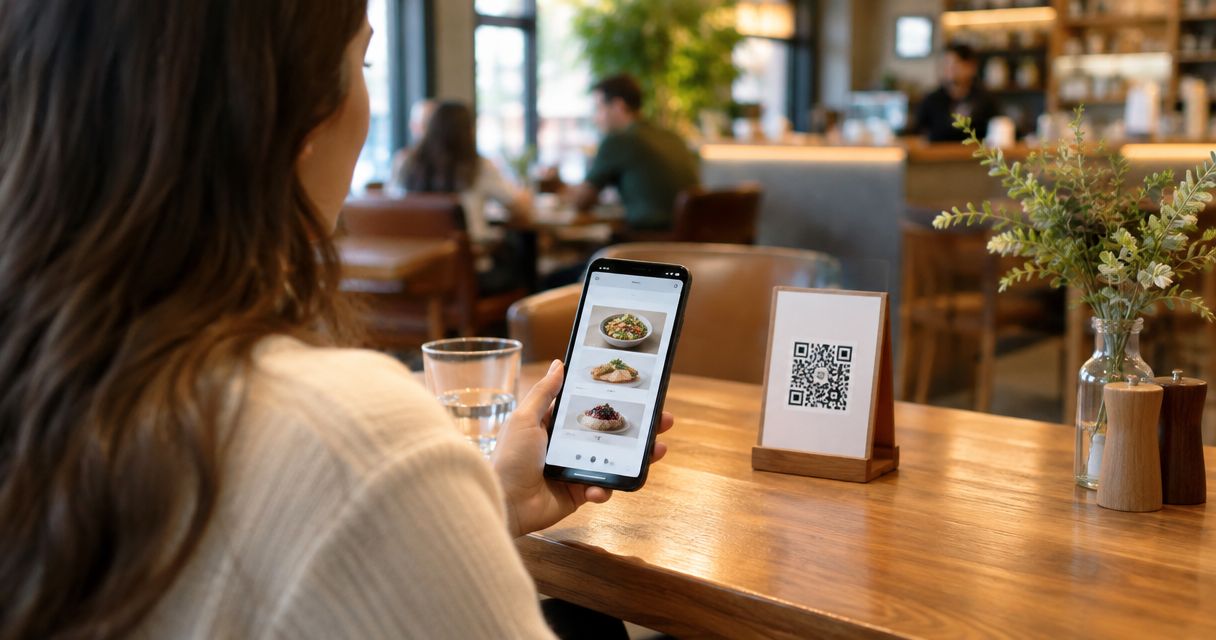
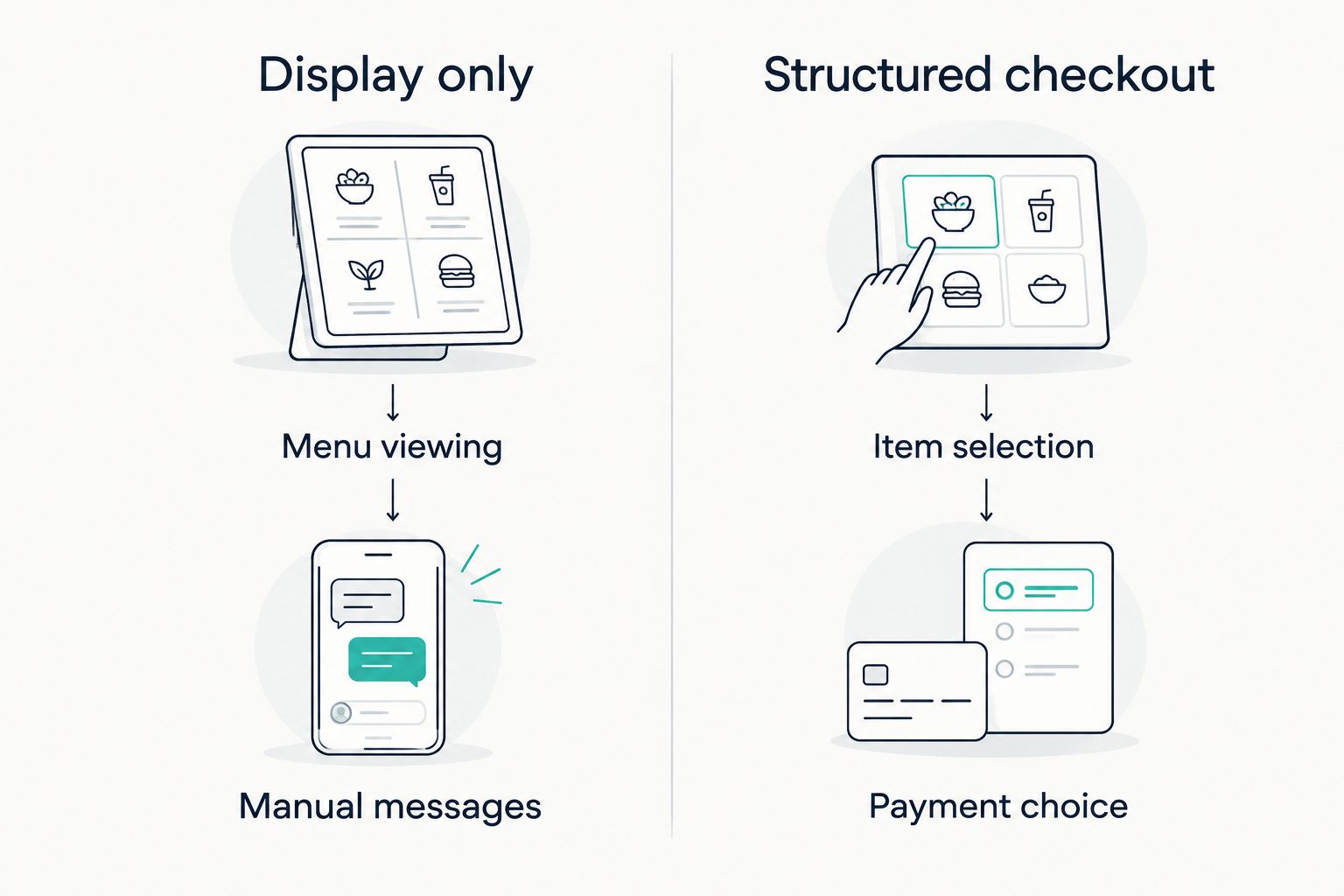
A QR code only gives customers a doorway. The page behind it determines whether they can read the menu, select options, choose a payment method, submit a complete order, and receive confirmation without a long message exchange.
That distinction matters in Lebanon. A builder designed around card checkout can create extra work when customers expect cash on delivery, Whish Pay, OMT, USD/LBP pricing, or a WhatsApp order message. The right 2026 choice must fit the transaction already happening instead of forcing the restaurant into a foreign payment workflow.
A display-only menu and a structured storefront are not interchangeable. One shows products. The other turns selections, quantities, variants, customer details, delivery information, and payment preferences into an order the restaurant can process.
What makes the best digital menu builder
Use these six criteria before comparing logos or templates:
- Local payment fit: The checkout should account for COD, Whish Pay, OMT, and the currencies your restaurant displays.
- Structured order capture: Customers should submit items, quantities, options, contact details, and payment preferences in a consistent format.
- Fast menu updates: Staff need to change descriptions, availability, and categories without rebuilding the entire customer journey.
- Customer access: The menu should open from a QR code or shared link without requiring a new customer account or unfamiliar app.
- Operational fit: A dine-in café, delivery kitchen, and multi-location restaurant do not need the same system.
- Commission model: A builder that does not take a percentage from each order protects more of the restaurant's revenue.
These criteria separate a digital menu builder from a designed PDF. A PDF can present the menu clearly, but it does not necessarily capture an order or reduce staff follow-up.
Digital menu builders at a glance
| Rank | Builder | Best for | Standout feature | Key limitation |
|---|---|---|---|---|
| 1 | Link Mahal | Lebanese restaurants using WhatsApp checkout | QR menu, structured checkout, and local payment choices | Not a full restaurant POS or back-office suite |
| 2 | GloriaFood | Broader web-based restaurant ordering | Restaurant-focused ordering workflow | Local payment fit needs verification before setup |
| 3 | MENU TIGER | Interactive browser-based ordering | Menu browsing and ordering in one web flow | Adds a separate ordering interface outside WhatsApp |
| 4 | Menutech | Publishing detailed digital and print menus | Menu creation with structured dish information | Focuses more on menu publishing than local chat commerce |
| 5 | WhatsApp Business Catalog | Organizing items inside WhatsApp | Native catalog inside a familiar messaging app | No restaurant-specific structured checkout |
| 6 | Canva | Designing a static QR menu | Flexible visual templates | No ordering or payment workflow |
| 7 | Toast | US-based Lebanese restaurants already using its POS | POS and digital ordering in one ecosystem | Poor fit when the restaurant is not already on Toast |
1. Link Mahal: best for Lebanese WhatsApp checkout
This SaaS platform combines a QR-based digital menu with an AI-powered WhatsApp storefront and structured checkout. It targets Lebanese restaurants, cafés, and shops serving customers in Lebanon or the Lebanese diaspora.
Customers can move from the menu to an organized order while selecting the payment method offered by the seller. The workflow supports the realities named in the brand's setup: COD, Whish Pay, OMT, USD/LBP pricing, and WhatsApp order messages. It also avoids per-order commission, so the seller keeps the revenue from each completed order.
Link Mahal pros:
- Built around the channels and payment methods Lebanese sellers already use
- Captures structured order details instead of relying on open-ended messages
- Requires no code, separate hosting, or plugins
- Can be launched in minutes from a QR code or shared storefront link
Link Mahal cons:
- It is focused on WhatsApp commerce rather than full POS, kitchen, or accounting management
- A restaurant needing only a view-only dine-in menu may not need the checkout features
- Teams still need a clear internal process for accepting, preparing, and confirming incoming orders
Best for: A Lebanese restaurant or café that wants its digital menu to produce complete WhatsApp orders with locally relevant payment choices. Verdict: Buy.
2. GloriaFood: best for a broader restaurant ordering system
GloriaFood is designed around restaurant ordering rather than general website building. It gives restaurants a web-based flow for presenting menu items and collecting customer orders.
Its restaurant focus makes it more suitable than a generic form or PDF when you need categories, modifiers, pickup, or delivery choices. The main decision is whether its available payment and order settings match your Lebanese operation. Confirm the current support for your required currencies and payment methods before moving the menu.
GloriaFood pros:
- Purpose-built for restaurant menus and online orders
- Keeps item selection inside a guided web flow
- Suitable for restaurants that prefer a conventional ordering page over chat commerce
GloriaFood cons:
- It is not designed specifically around Whish Pay, OMT, or Lebanese WhatsApp selling
- Staff may need to manage another ordering interface alongside existing channels
- Regional payment compatibility requires verification
Best for: Restaurants that want a traditional browser-based ordering system and do not need WhatsApp to be the main checkout destination. Verdict: Hold until local payment and currency support are confirmed.
3. MENU TIGER: best for an interactive browser menu
MENU TIGER turns a QR scan into an interactive menu where customers can browse categories and place an order through a web interface. It is closer to a digital ordering application than a static menu file.
That makes it useful for restaurants trying to reduce verbal ordering or printed-menu handling. It is less aligned with a business that wants every completed order to arrive through the WhatsApp process customers already know.
MENU TIGER pros:
- Combines menu browsing and item selection
- Offers a restaurant-specific interface rather than a generic form
- Works for dine-in operations that want customers to order from the table
MENU TIGER cons:
- Creates a separate ordering environment outside WhatsApp
- Local payment methods must be checked against the restaurant's requirements
- More functionality also means more settings for staff to maintain
Best for: Dine-in restaurants that want customers to browse and submit orders in a dedicated browser interface. Verdict: Hold until its payment workflow is checked against actual customer behavior.
4. Menutech: best for detailed menu publishing
Menutech focuses on building and publishing restaurant menus across digital and print formats. Its structured approach to dish information makes it useful when menu presentation, dietary information, and consistency across formats are the main priorities.
This is a menu-management choice more than a Lebanese social-commerce choice. It can improve how dishes are organized and presented, but restaurants still need to decide how the customer moves from reading the menu to sending an order and choosing COD, Whish Pay, or OMT.
Menutech pros:
- Designed specifically for restaurant menu creation
- Supports structured dish and menu information
- Useful when the same menu content must appear in different formats
Menutech cons:
- Menu publishing is the main strength, not WhatsApp checkout
- Does not replace a local payment and order-confirmation process
- Adds another system if the restaurant already manages orders elsewhere
Best for: Restaurants that prioritize accurate, reusable menu publishing across digital and printed formats. Verdict: Wait if the immediate goal is structured WhatsApp ordering.
5. WhatsApp Business Catalog: best for basic in-app browsing
WhatsApp Business lets a seller display products or services in a catalog inside the messaging app. A catalog can contain up to 500 items, giving small restaurants enough room to organize dishes, drinks, combinations, and extras without sending every image manually.
The limitation is order structure. A catalog helps customers browse, but the surrounding conversation can still become a loose sequence of item names, screenshots, addresses, substitutions, and payment questions. Staff must interpret that thread before preparing the order.
WhatsApp Business Catalog pros:
- Keeps browsing inside an app many Lebanese customers already use
- Reduces repeated requests for menu photos and item details
- Supports a substantial catalog without requiring a separate restaurant interface
WhatsApp Business Catalog cons:
- Does not provide a restaurant-specific structured checkout
- Complex modifiers and delivery details can return to manual messaging
- Staff must create their own process for payment selection and confirmation
Best for: Small operators that need organized item browsing inside WhatsApp but can still manage each order manually. Verdict: Hold for early use; move to structured checkout when message handling becomes the bottleneck.
6. Canva: best for designing a static QR menu
Canva is a design tool with restaurant menu templates and a QR code generator. It can produce a polished menu for a table card, counter sign, social post, or downloadable document.
The output remains a designed asset rather than an ordering system. Customers can view dishes and prices, but Canva does not collect restaurant orders, organize variants, capture delivery details, or present Lebanese payment choices as a checkout flow.
Canva pros:
- Flexible control over menu layout and visual hierarchy
- Useful for printed and digital menu assets
- Suitable for events, pop-ups, and view-only dine-in menus
Canva cons:
- No structured ordering workflow
- No built-in restaurant operations or payment selection
- Menu maintenance can involve editing and republishing design files
Best for: A restaurant that only needs customers to view a well-designed menu after scanning a QR code. Verdict: Buy for design-only use; skip it as an ordering platform.
7. Toast: best for US restaurants already using Toast POS
Toast combines restaurant point-of-sale functions with digital menu and online-ordering features. It belongs on this list because Link Mahal also targets Lebanese sellers in the diaspora, including restaurants operating in the United States.
Toast makes the most sense when the restaurant already uses its POS ecosystem and wants digital ordering connected to that operational stack. It is not the practical default for a restaurant in Lebanon that centers orders on WhatsApp, COD, Whish Pay, or OMT.
Toast pros:
- Connects digital ordering to a restaurant POS environment
- Suitable for US restaurants standardizing multiple operational functions
- Keeps menu and ordering tools within one existing ecosystem
Toast cons:
- Requires a much broader operational commitment than a standalone menu builder
- Not built around Lebanon's local payment mix
- Poor fit when WhatsApp is the restaurant's primary sales channel
Best for: A Lebanese restaurant in the United States that already runs on Toast and wants digital ordering tied to its POS. Verdict: Buy only for that specific use case; otherwise skip it.
How we ranked the seven options
The 2026 ranking follows the six criteria stated above: local payment fit, structured order capture, menu maintenance, customer access, operational fit, and commission model. The ranking does not treat every restaurant as identical.
A Beirut delivery kitchen taking WhatsApp orders needs a different tool from a dine-in restaurant using table ordering or a Lebanese restaurant in the United States running an integrated POS. That is why each option owns a distinct use case rather than competing for the same generic label.
The most weight goes to what happens after the customer scans. A good builder reduces missing details, repeated questions, unstructured payment discussions, and manual transcription. Design matters, but it cannot repair a checkout flow that conflicts with the restaurant's actual payment methods.
Which digital menu builder should you choose in 2026?
Choose Link Mahal when your Lebanese restaurant sells through WhatsApp and needs structured checkout with COD, Whish Pay, or OMT. That is the default recommendation for the buyer described by this guide.
Choose GloriaFood when you want a broader restaurant-ordering website and have confirmed that its current payment setup matches your operation. Choose MENU TIGER for interactive browser ordering, Menutech for detailed menu publishing, WhatsApp Business Catalog for manually managed messaging, Canva for design-only menus, and Toast for a US restaurant already committed to its POS ecosystem.
Do not select on template appearance alone. Map the complete order first: scan, browse, select, enter details, choose payment, send, confirm, and prepare. The builder that removes the most manual steps from that sequence is the right 2026 choice.
Build your WhatsApp storefront
Create a QR menu with structured checkout for your restaurant.
FAQ
What is the best digital menu builder for Lebanese restaurants in 2026?
The best overall choice is the WhatsApp-first option ranked first in this guide because it supports structured checkout around COD, Whish Pay, OMT, and USD/LBP selling. Restaurants needing a conventional browser-based ordering system should also assess GloriaFood.
Is a QR menu the same as an online ordering system?
No. A QR menu can simply display dishes, while an online ordering system captures selections, quantities, customer details, payment preferences, and fulfillment information.
Can customers order from a digital menu without downloading an app?
Yes. Browser-based menus and WhatsApp storefronts can open from a QR code or shared link without requiring a separate restaurant app.
Is WhatsApp Business Catalog enough for a restaurant?
WhatsApp Business Catalog is enough for basic browsing and manually managed orders. It is not a restaurant-specific structured checkout, so staff still need to interpret messages and confirm missing details.
Is Canva a digital menu builder?
Canva is a menu design tool rather than a complete ordering platform. It creates visual menus and QR assets but does not handle restaurant checkout, order structure, or payment selection.
Which digital menu builder works with COD, Whish Pay, and OMT?
A Lebanon-focused WhatsApp storefront is the clearest fit for COD, Whish Pay, and OMT. Confirm the current payment options directly before committing to any international restaurant platform.
What should a restaurant check before changing menu platforms?
Check currency display, payment methods, item modifiers, delivery fields, order notifications, menu-update workflow, and staff responsibilities. Run one complete test order before sharing the new QR code with customers.
Should a Lebanese restaurant use Toast for a digital menu?
Toast is appropriate for a US-based restaurant already using its POS ecosystem. It is not the default choice for a Lebanon-based restaurant centered on WhatsApp and local payment methods.
One last thing
QR code reliability depends on the printed code, not only the software behind it. Under the QR standard ISO/IEC 18004, the four error-correction levels can restore approximately 7%, 15%, 25%, or 30% of damaged codewords, depending on the selected level.
Higher error correction can help a code remain readable after ordinary wear, but it also creates a denser pattern. Test the final table card at its real printed size, under the restaurant's actual lighting, with more than one phone before rolling it out in 2026.